Butterfly crack
joints.butterfly_crack
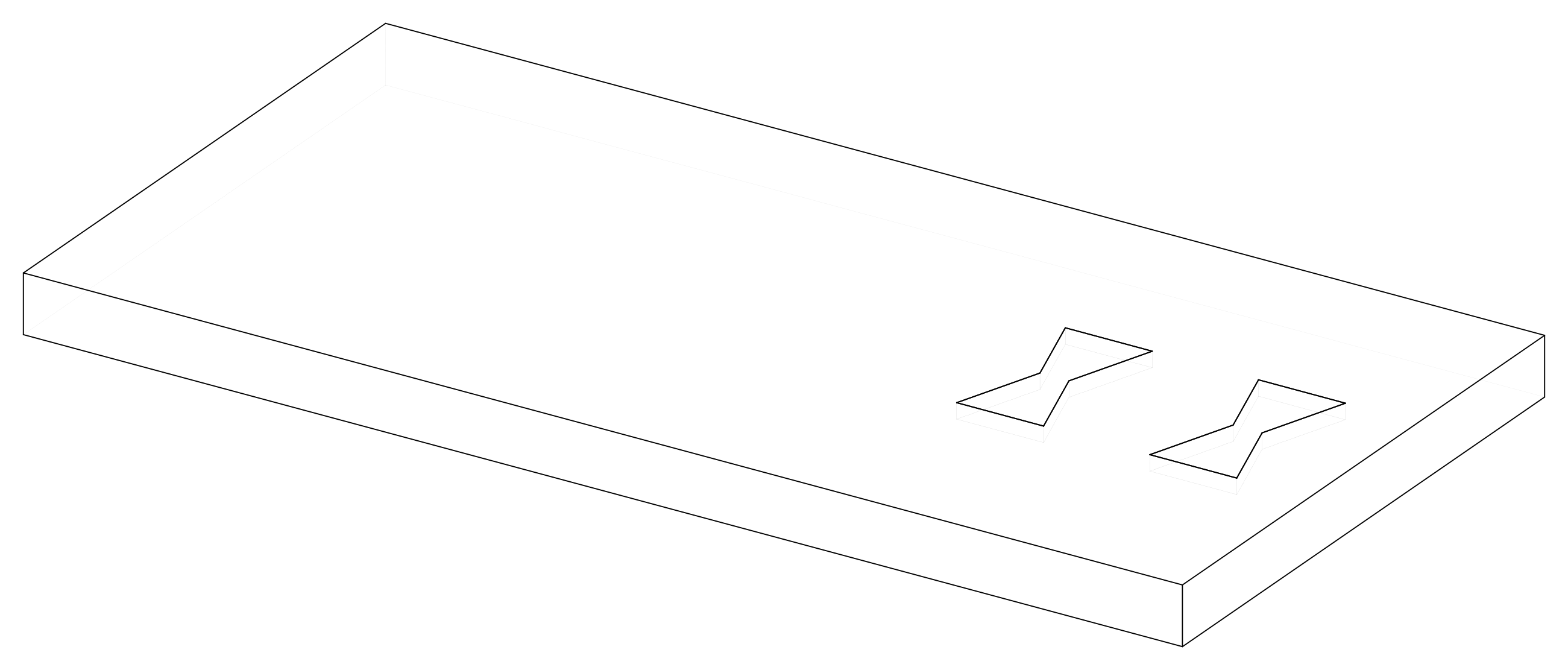
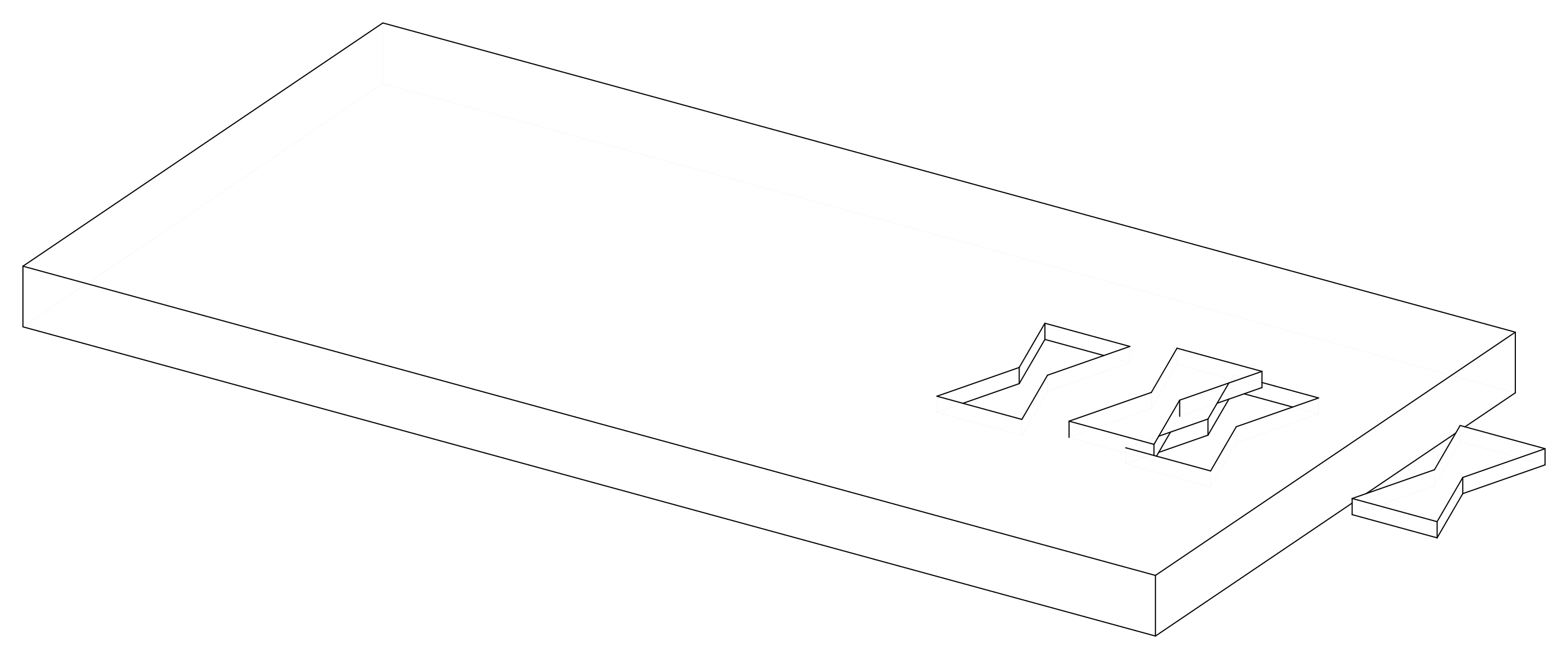
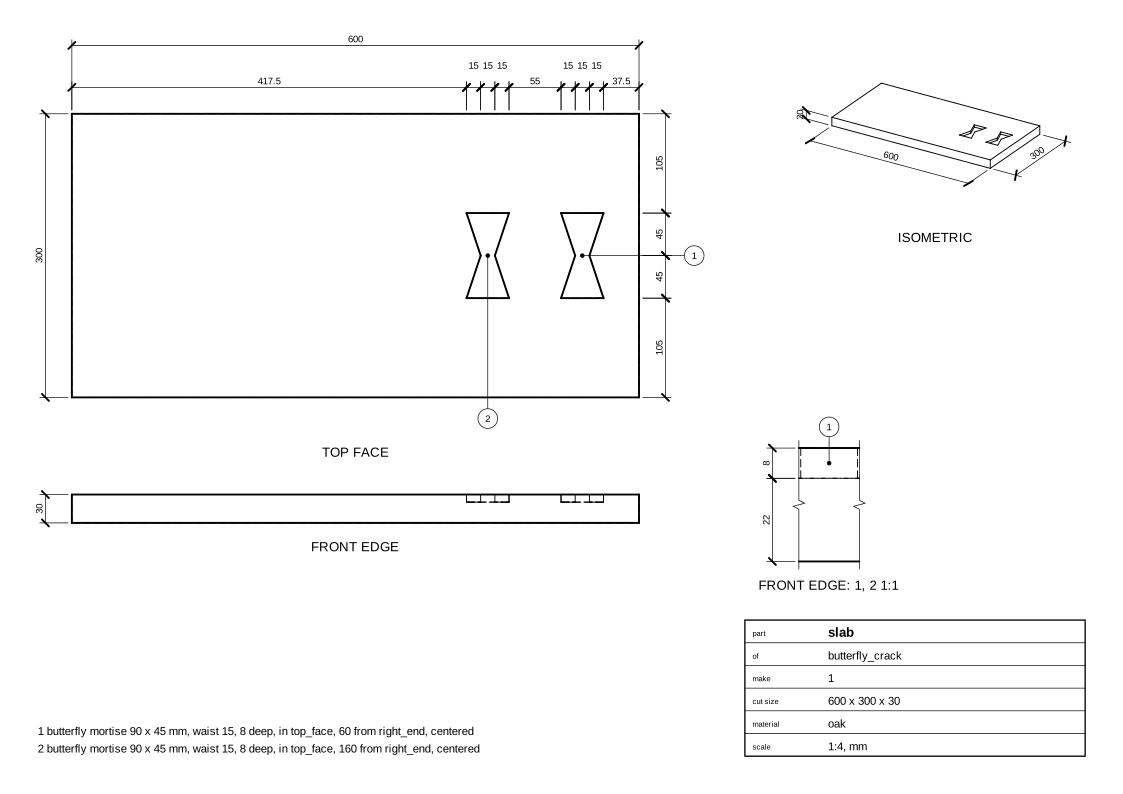
Two butterfly keys holding a crack running in from the end of a slab.
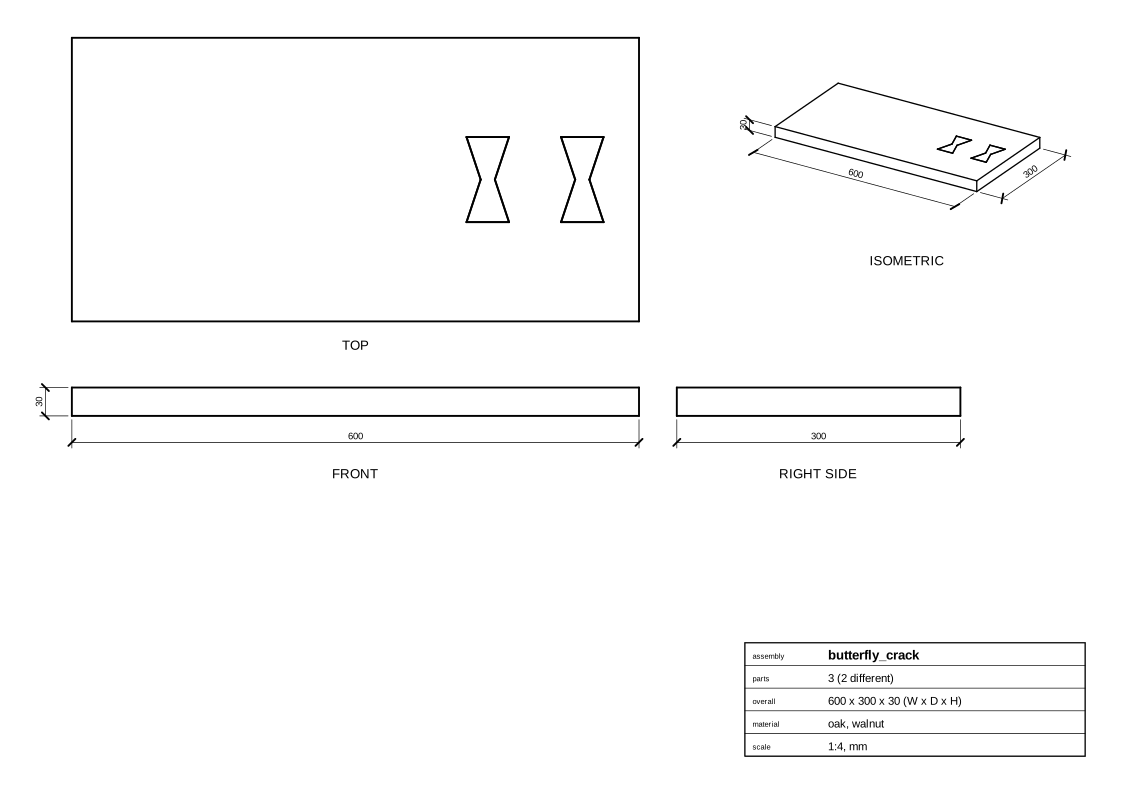
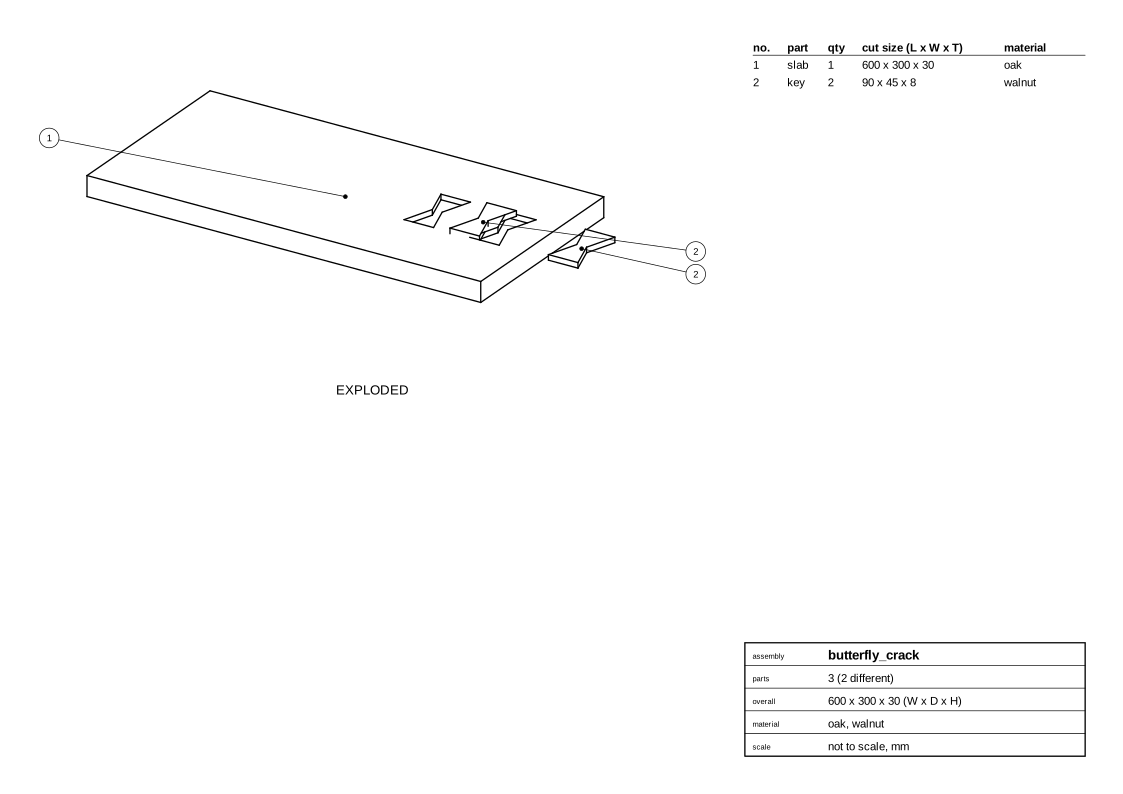
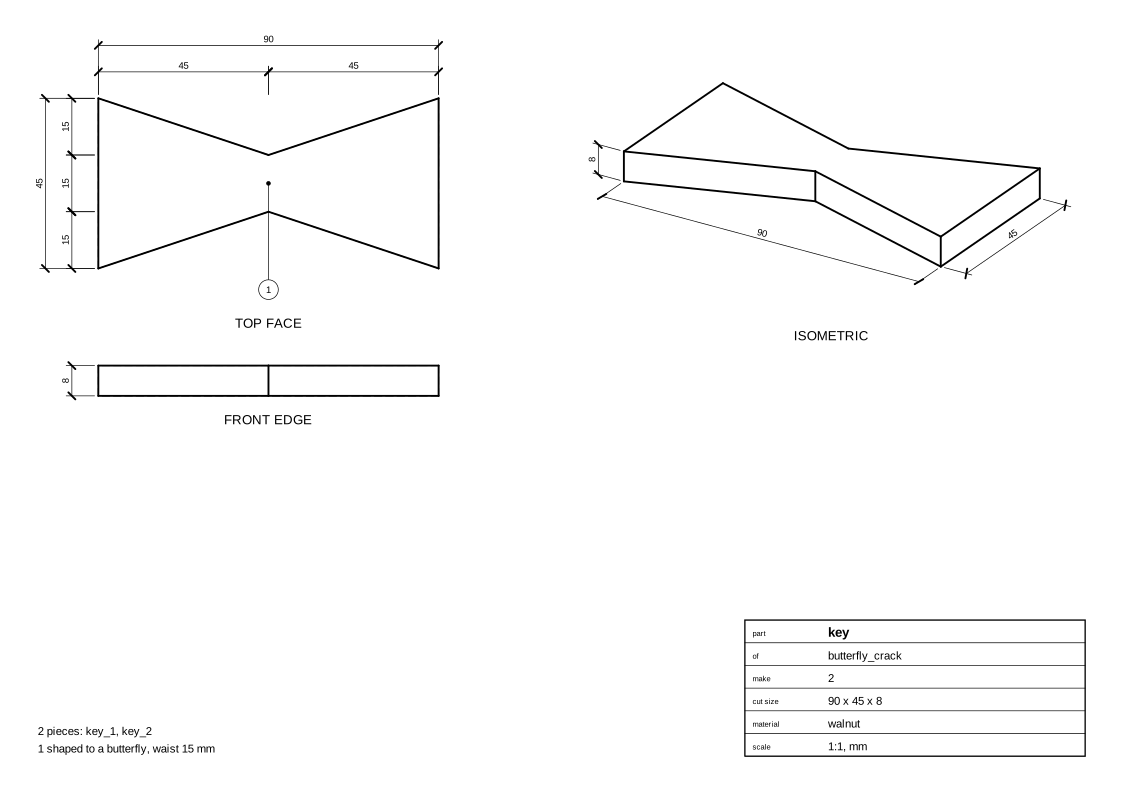
The keys, walnut 90 x 45 mm at the ends, 15 mm at the waist, 8 mm thick, lie across the grain (and the crack), inlaid flush into mortises in the top face, 60 and 160 mm from the right end. The crack itself isn't modelled.
Parameters
| Parameter | Default |
|---|---|
length |
600 |
width |
300 |
stock |
30 mm board, oak |
Change them in a design file (see Change an example):
Drawings
The plans in one PDF: plans.pdf.
Assembly
Parts
Key
Slab
Cut list
slab  600 x 300 x 30 mm  oak
      - butterfly mortise 90 x 45 mm, waist 15, 8 deep, in top_face, 60 from right_end, centered
      - butterfly mortise 90 x 45 mm, waist 15, 8 deep, in top_face, 160 from right_end, centered
key   90 x 45 x 8 mm  walnut, 2 pieces: key_1, key_2
      - shaped to a butterfly, waist 15 mm
Code
From woodwright/examples/joints.py, which imports the names it uses (see From an example to your own design):
def butterfly_crack(length: float = 600, width: float = 300, stock: Stock = THICK_OAK) -> Assembly:
    """Two butterfly keys holding a crack running in from the end of a slab.

    The keys, walnut 90 x 45 mm at the ends, 15 mm at the waist, 8 mm
    thick, lie across the grain (and the crack), inlaid flush into mortises
    in the top face, 60 and 160 mm from the right end. The crack itself
    isn't modelled.
    """
    asm = Assembly("butterfly_crack")
    slab = asm.add(Board("slab", stock, length=length, width=width))
    for i, distance in enumerate((60, 160)):
        key = asm.add(Board(f"key_{i + 1}", BUTTERFLY_WALNUT, length=90, width=45))
        asm.join(Butterfly(slab.top_face, key, at={slab.right_end: distance}))
    return asm
Exported with woodwright 0.9.0 on 2026-10-25.