Keyed mitre corner
joints.keyed_mitre_corner
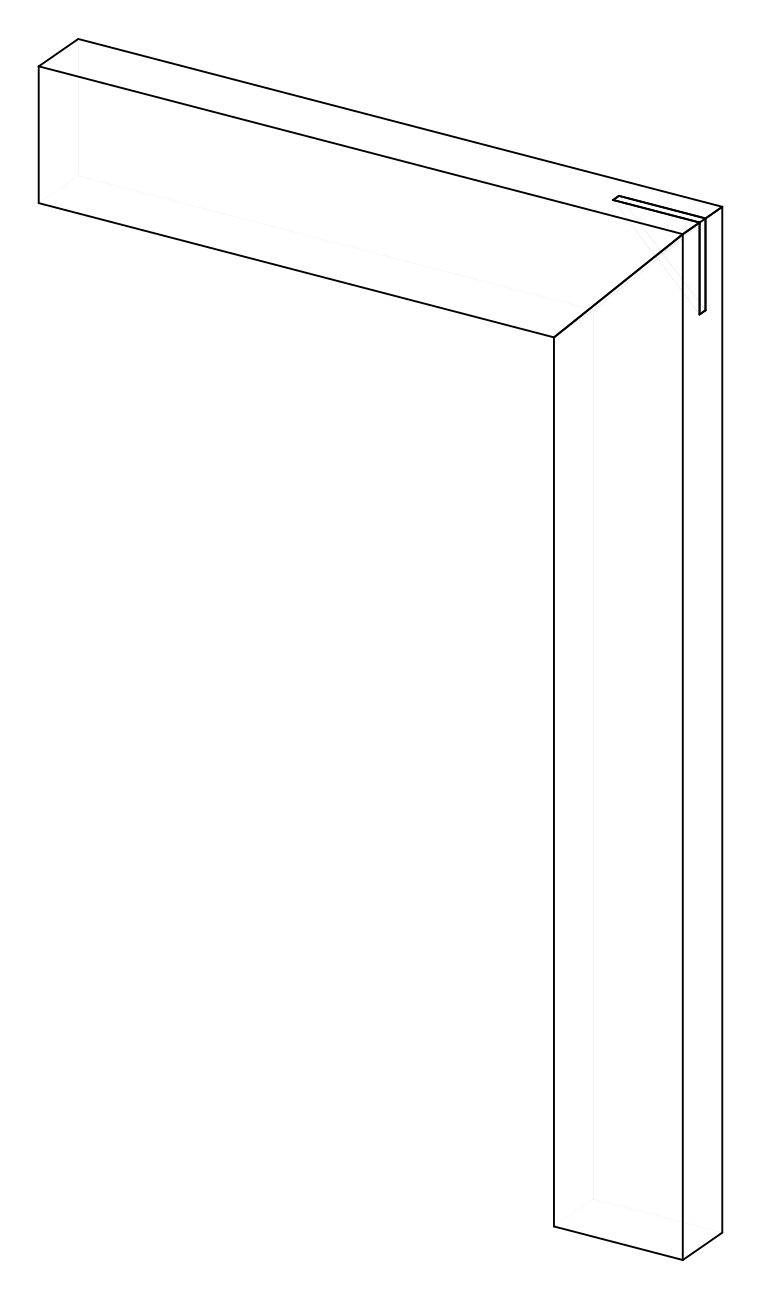
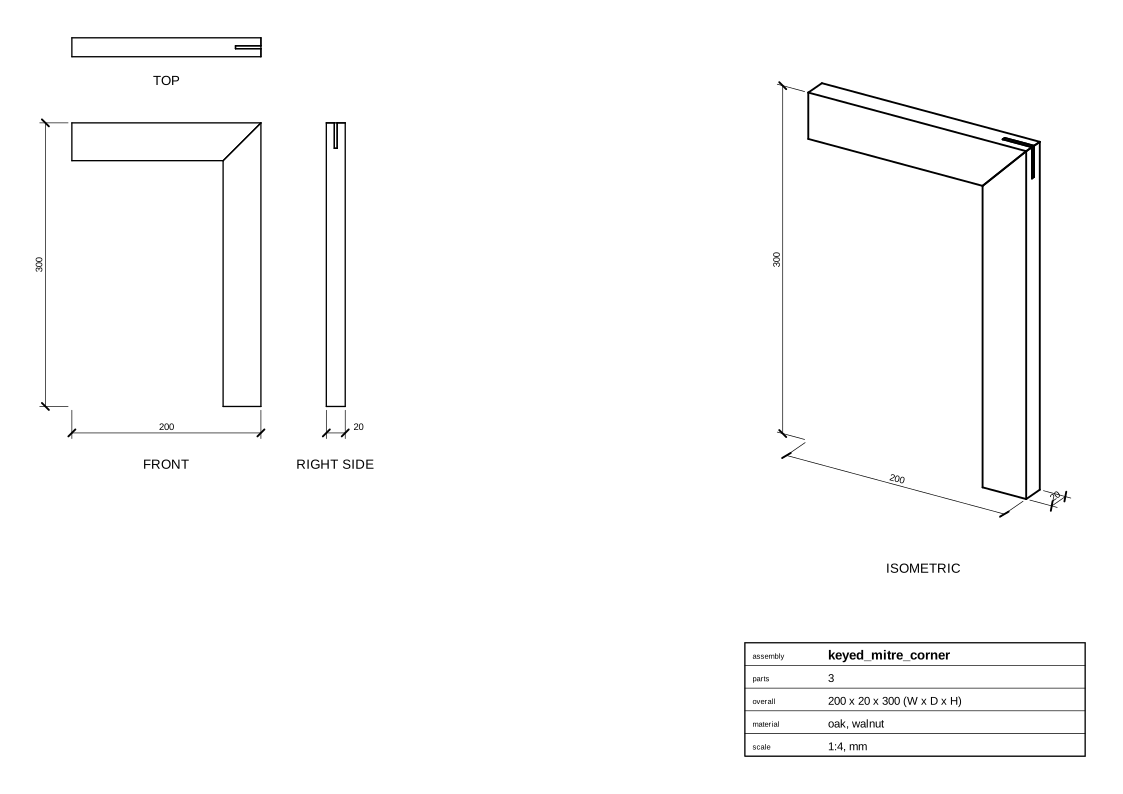
A picture frame corner with a key (a slip feather) across the outside corner.
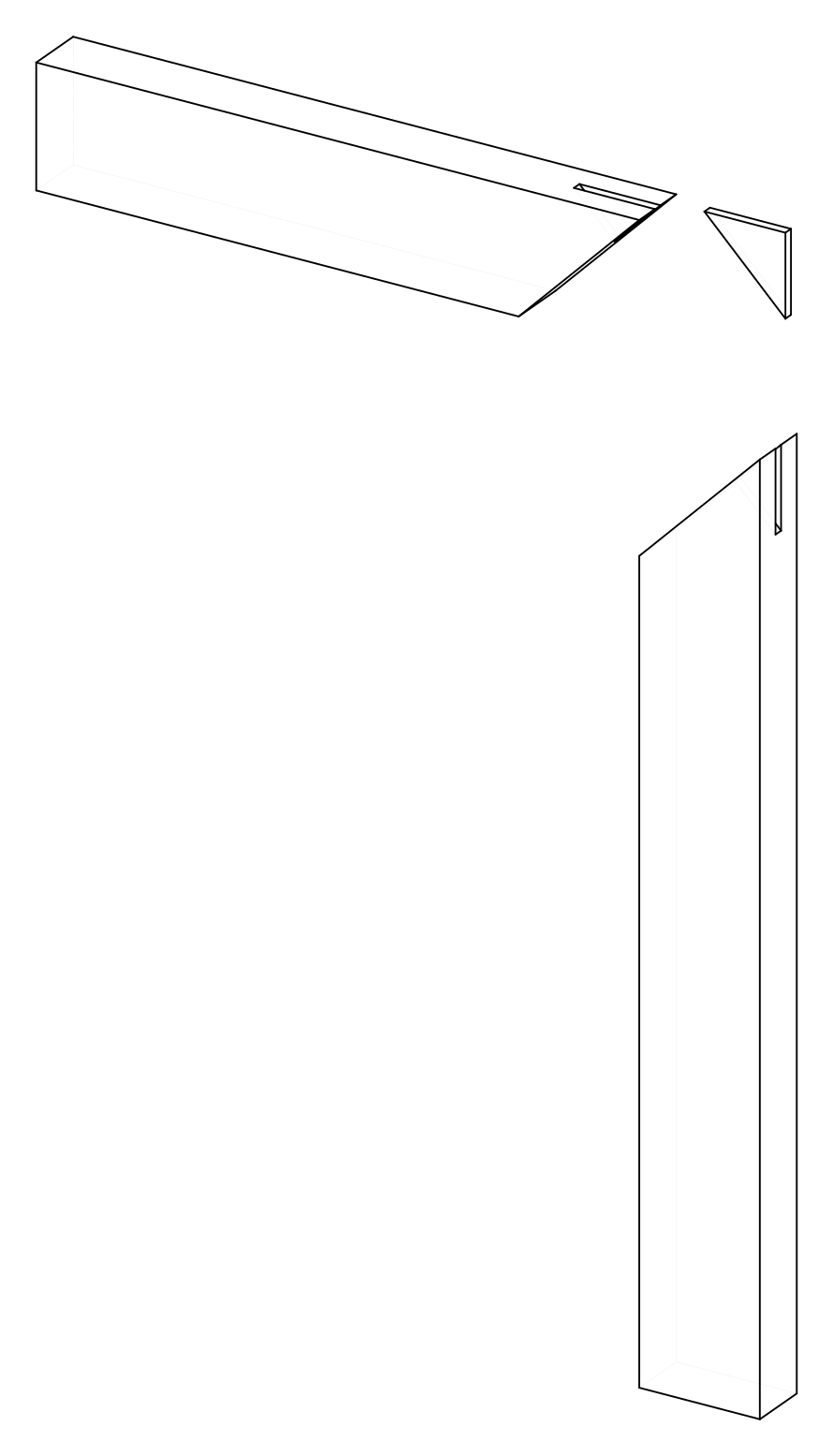
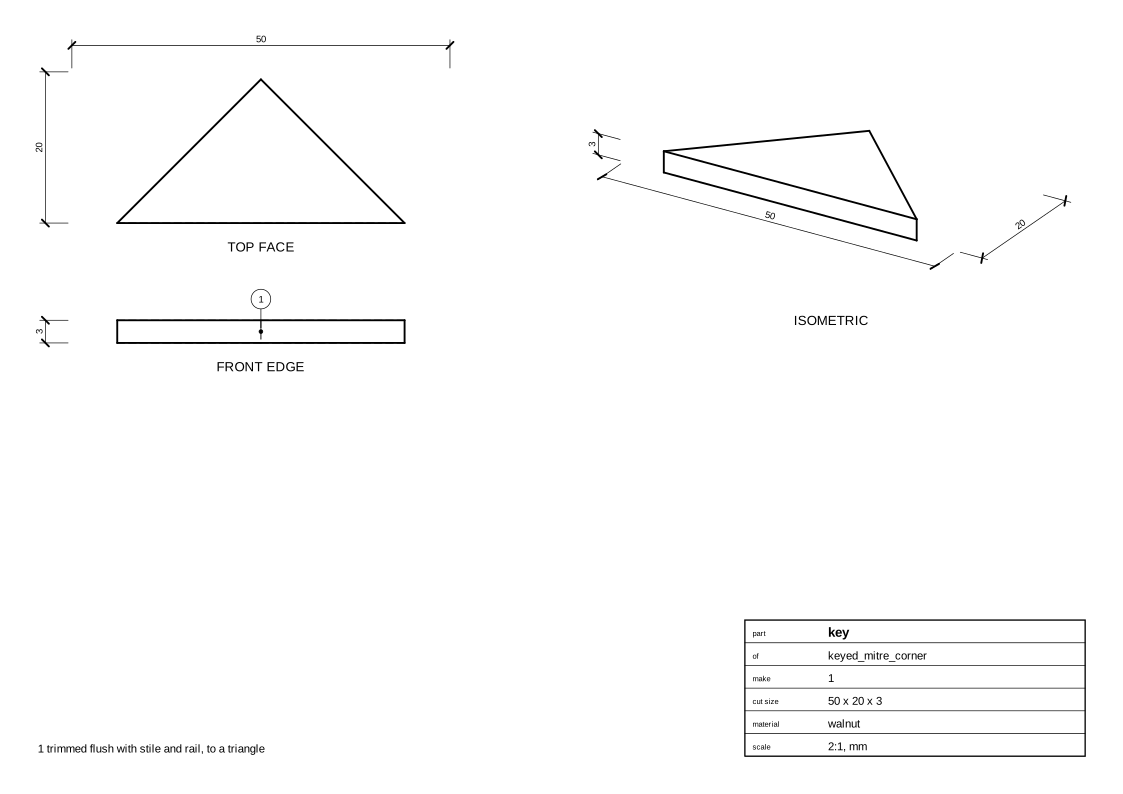
The kerf, 3 mm wide in the middle of the thickness, is sawn square to the faces from the outside corner, a third of the way along the mitre line. The key, a walnut offcut glued in proud, is shown trimmed flush with the outside edges: a triangle.
Parameters
| Parameter | Default |
|---|---|
stile_length |
300 |
rail_length |
200 |
width |
40 |
stock |
20 mm board, oak |
Change them in a design file (see Change an example):
Drawings
The plans in one PDF: plans.pdf.
Assembly
Parts
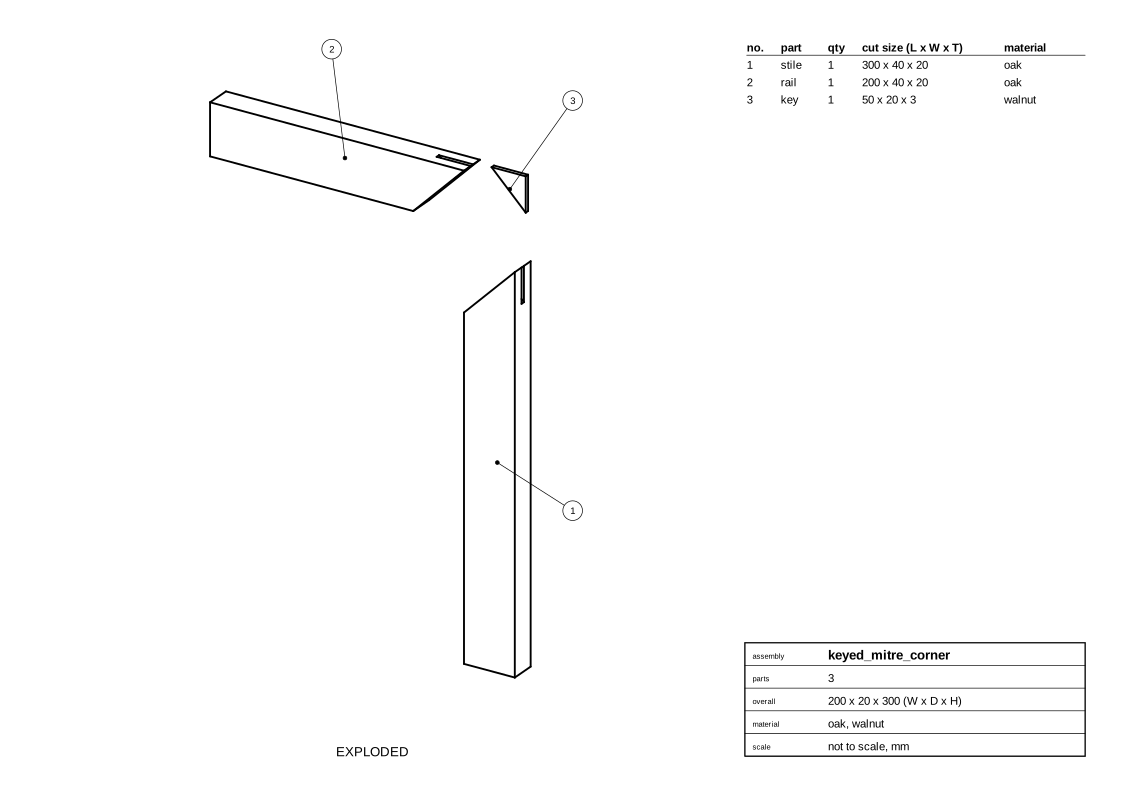
Key
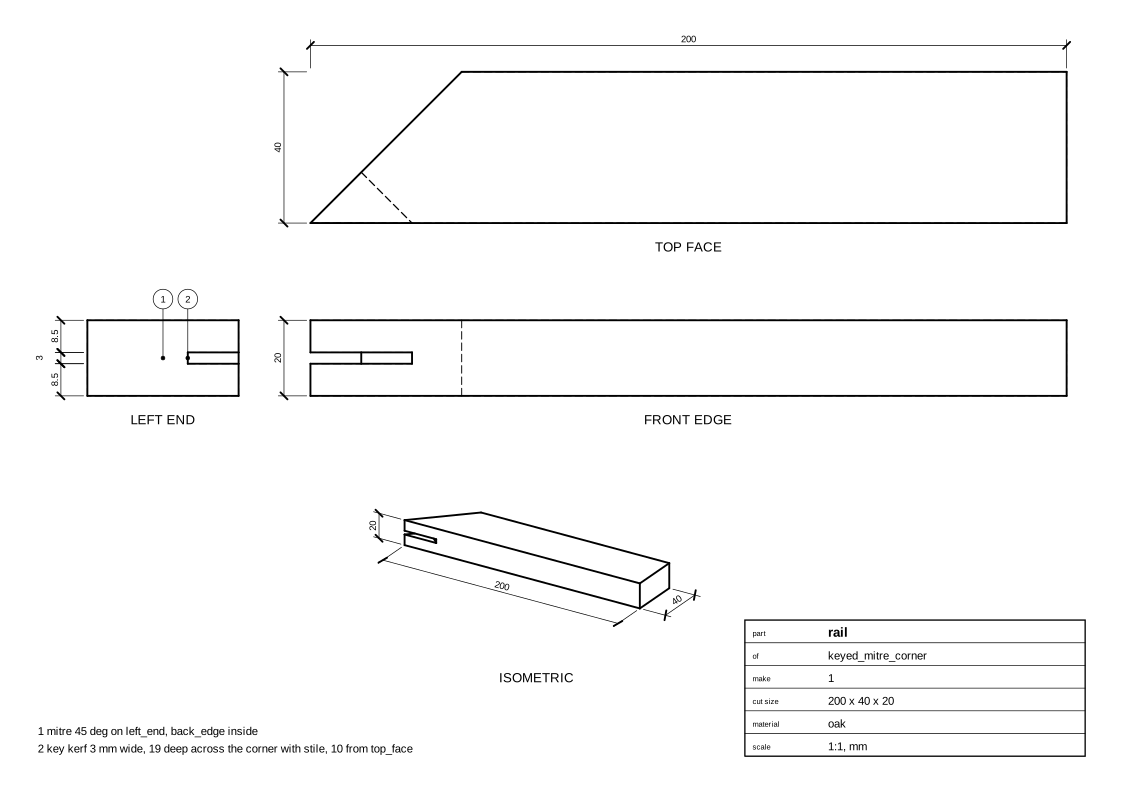
Rail
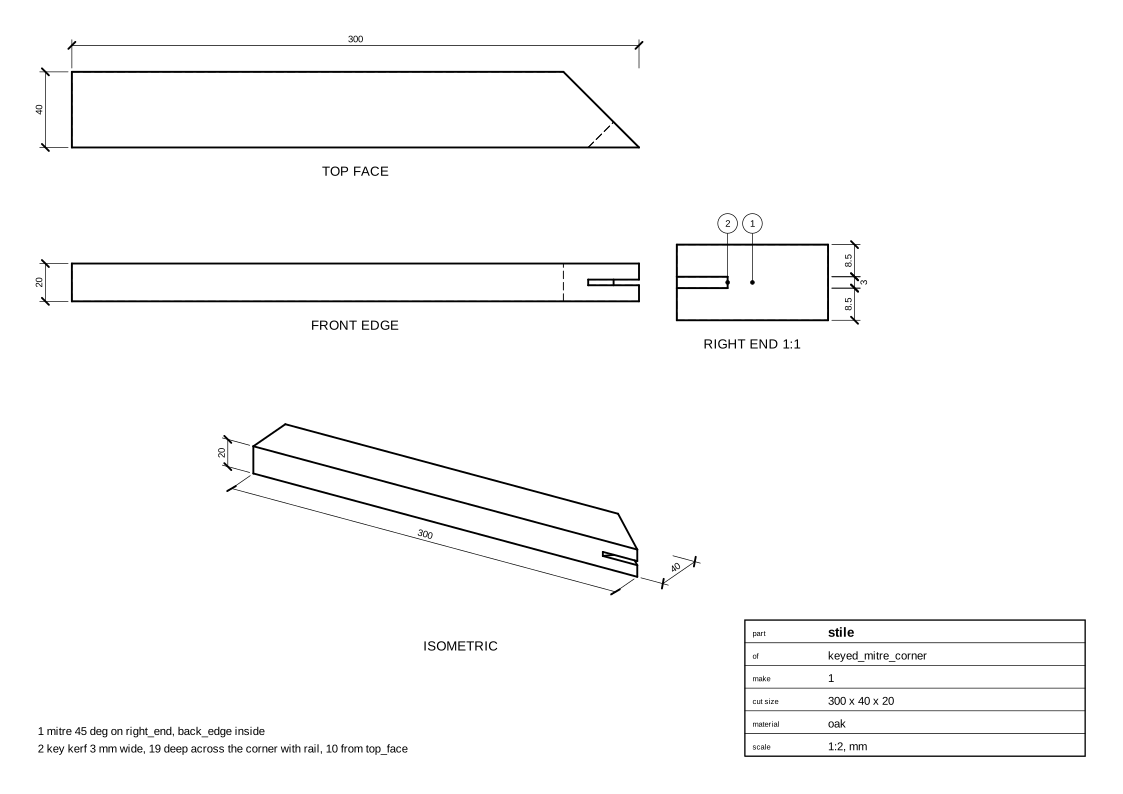
Stile
Cut list
stile  300 x 40 x 20 mm  oak
       - mitre 45 deg on right_end, back_edge inside
       - key kerf 3 mm wide, 19 deep across the corner with rail, 10 from top_face
rail   200 x 40 x 20 mm  oak
       - mitre 45 deg on left_end, back_edge inside
       - key kerf 3 mm wide, 19 deep across the corner with stile, 10 from top_face
key    50 x 20 x 3 mm  walnut
       - trimmed flush with stile and rail, to a triangle
Code
From woodwright/examples/joints.py, which imports the names it uses (see From an example to your own design):
def keyed_mitre_corner(
    stile_length: float = 300, rail_length: float = 200, width: float = 40, stock: Stock = OAK
) -> Assembly:
    """A picture frame corner with a key (a slip feather) across the outside corner.

    The kerf, 3 mm wide in the middle of the thickness, is sawn square to
    the faces from the outside corner, a third of the way along the mitre
    line. The key, a walnut offcut glued in proud, is shown trimmed flush
    with the outside edges: a triangle.
    """
    asm = Assembly("keyed_mitre_corner", root_location=OUTSIDE_CORNER_UP)
    stile = asm.add(Board("stile", stock, length=stile_length, width=width))
    rail = asm.add(Board("rail", stock, length=rail_length, width=width))
    key = asm.add(Board("key", KEY_WALNUT, length=50, width=20))
    asm.join(
        KeyedMitre(stile.right_end, rail.left_end, stile.back_edge, rail.back_edge, keys=(key,))
    )
    return asm
Exported with woodwright 0.9.0 on 2026-10-25.