Stopped dado shelf
joints.stopped_dado_shelf
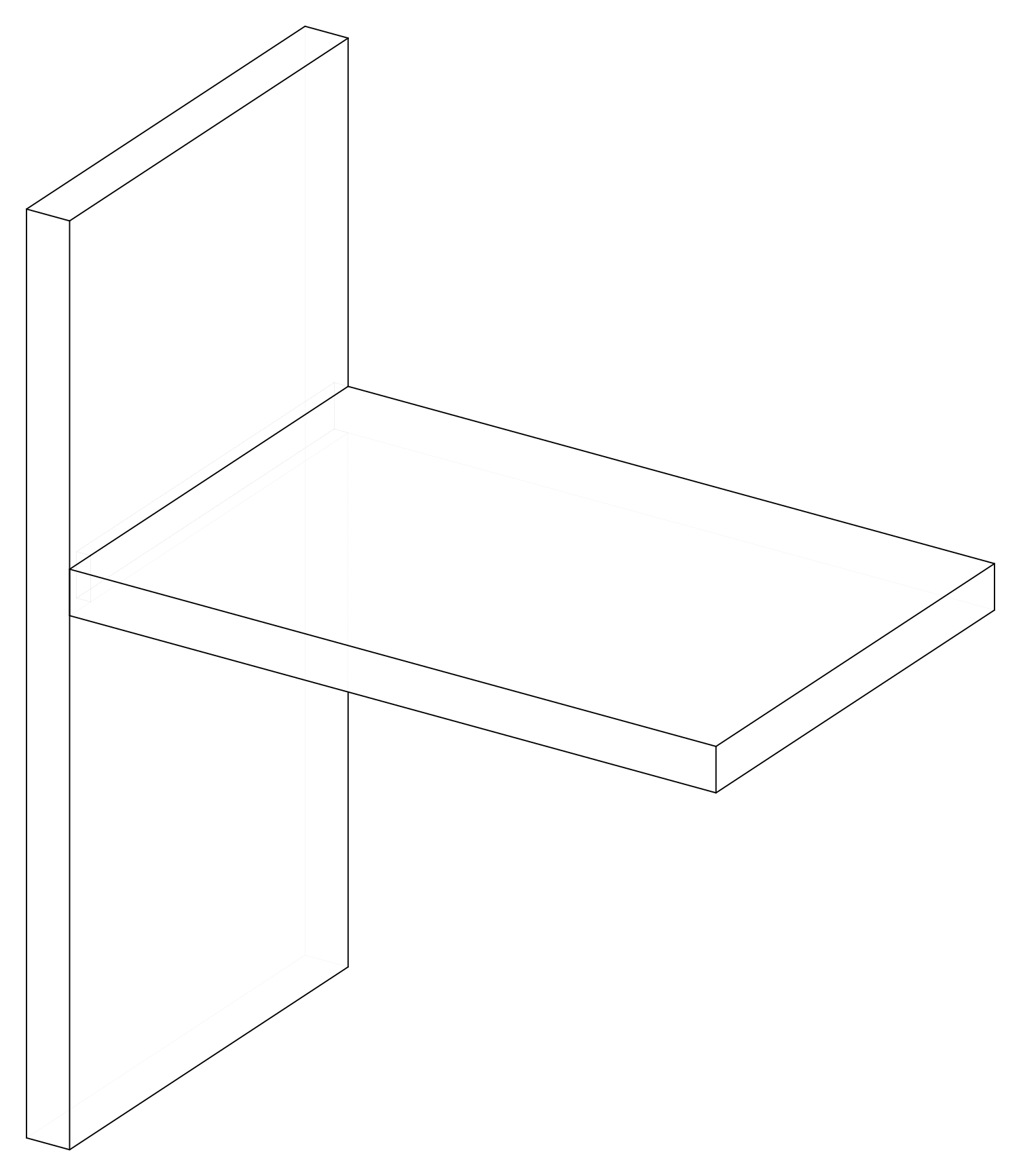
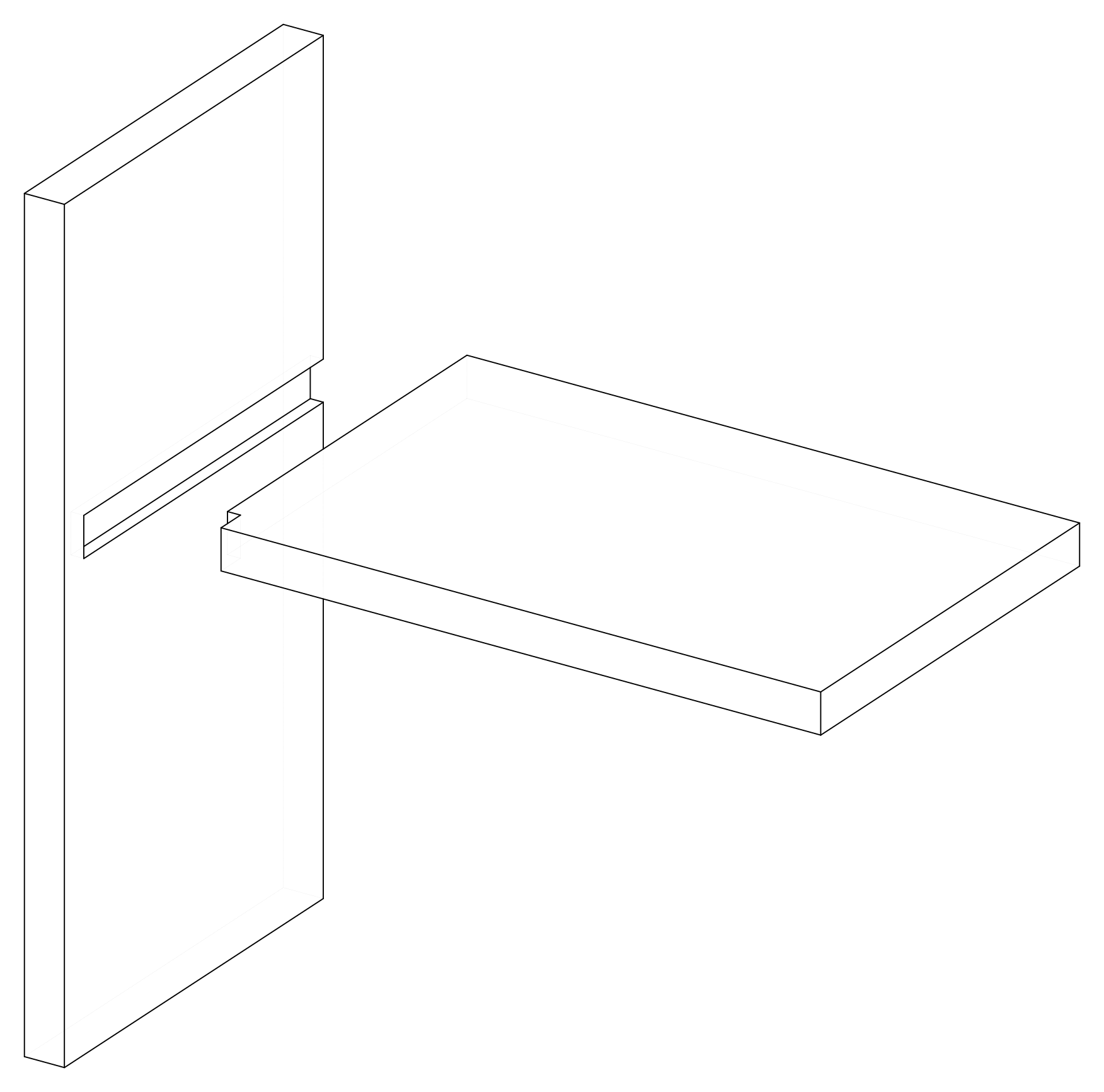
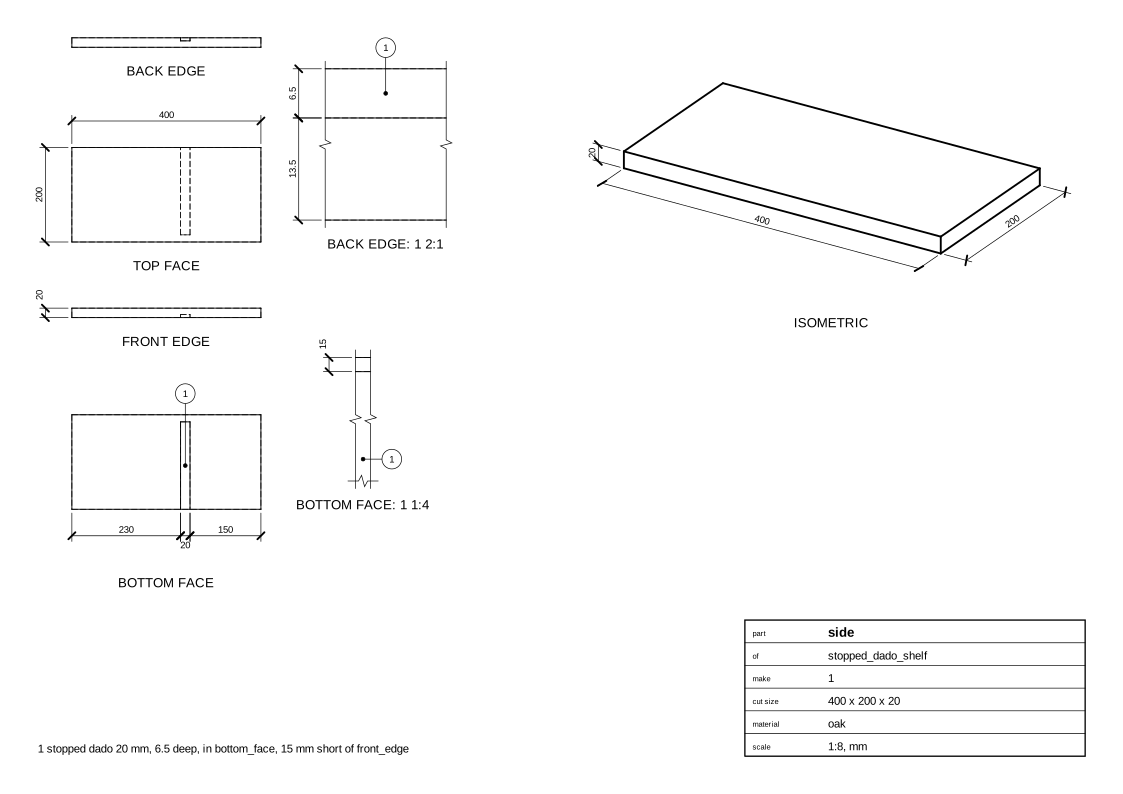
A shelf in a stopped dado, as in a bookshelf: the dado stops stop
short of the side's front edge, so it doesn't show at the front.
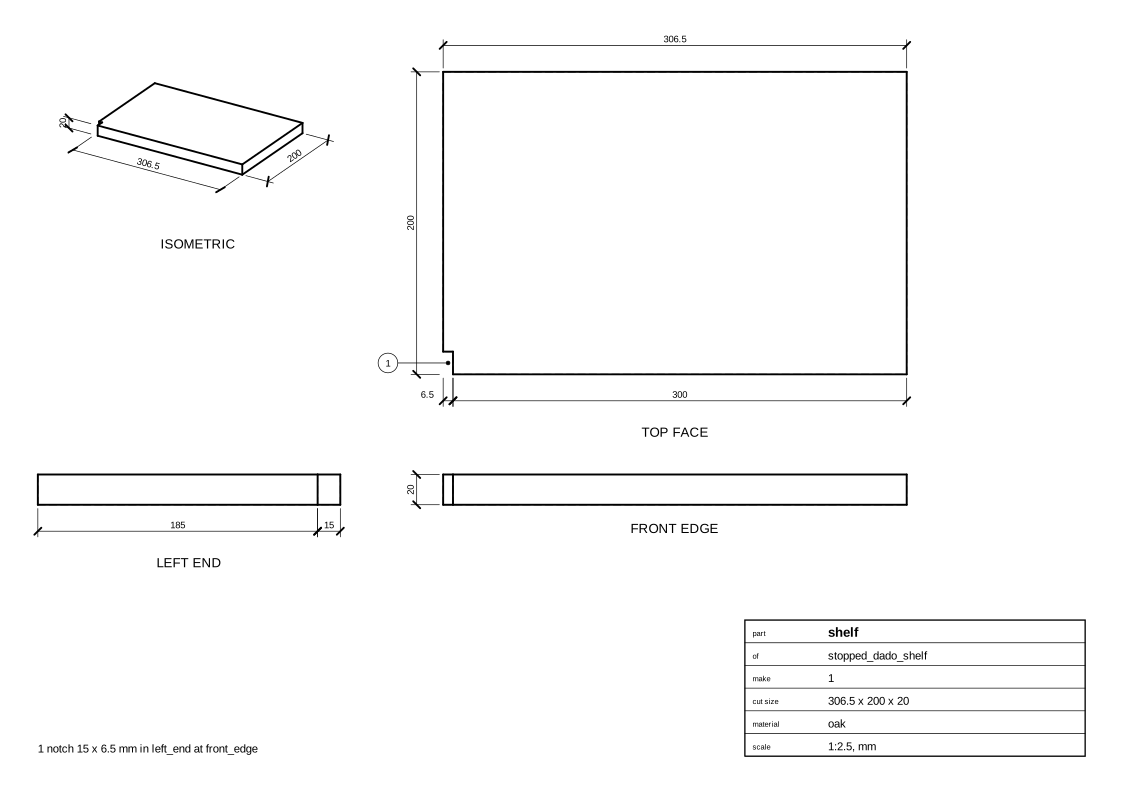
The shelf's front corner is notched to the stop, its front edge flush with the side's; at the back the dado runs out (under a back panel).
Parameters
| Parameter | Default |
|---|---|
side_height |
400 |
shelf_length |
300 |
depth |
200 |
shelf_height |
150 |
stop |
15 |
stock |
20 mm board, oak |
Change them in a design file (see Change an example):
Drawings
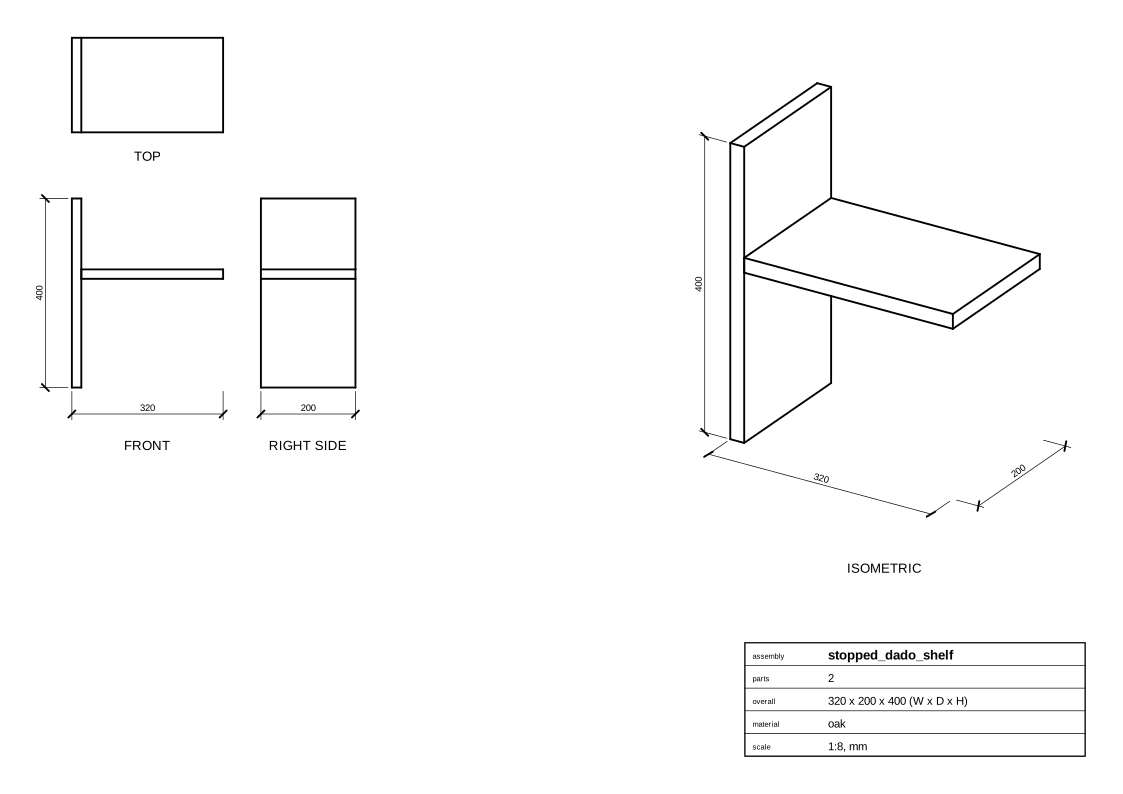
The plans in one PDF: plans.pdf.
Assembly
Parts
Shelf
Side
Cut list
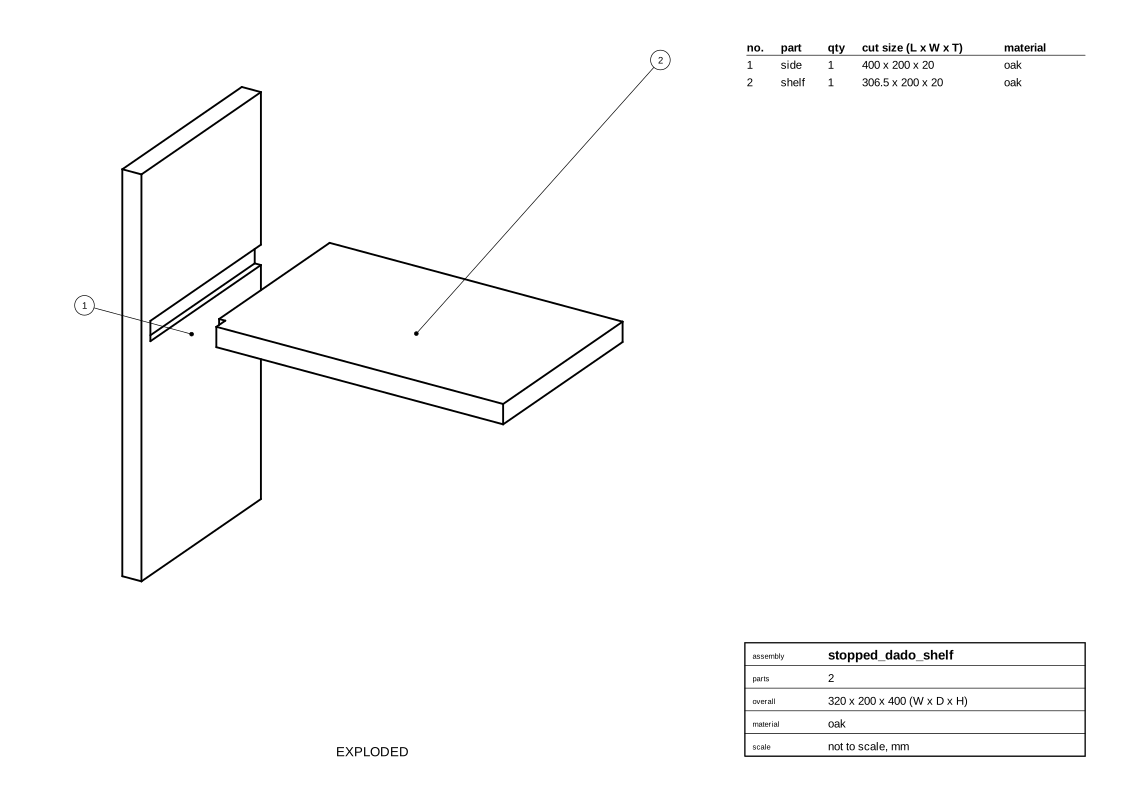
side   400 x 200 x 20 mm  oak
       - stopped dado 20 mm, 6.5 deep, in bottom_face, 15 mm short of front_edge
shelf  306.5 x 200 x 20 mm  oak
       - notch 15 x 6.5 mm in left_end at front_edge
Code
From woodwright/examples/joints.py, which imports the names it uses (see From an example to your own design):
def stopped_dado_shelf(
    side_height: float = 400,
    shelf_length: float = 300,
    depth: float = 200,
    shelf_height: float = 150,
    stop: float = 15,
    stock: Stock = OAK,
) -> Assembly:
    """A shelf in a stopped dado, as in a bookshelf: the dado stops `stop`
    short of the side's front edge, so it doesn't show at the front.

    The shelf's front corner is notched to the stop, its front edge flush
    with the side's; at the back the dado runs out (under a back panel).
    """
    asm = Assembly("stopped_dado_shelf", root_location=CASE_SIDE)
    side = asm.add(Board("side", stock, length=side_height, width=depth))
    shelf = asm.add(Board("shelf", stock, length=shelf_length, width=depth))
    asm.join(
        DadoJoint(
            dado=side.bottom_face,
            end=shelf.left_end,
            position=offset(shelf_height, side.right_end),
            stopped={side.front_edge: stop},
        )
    )
    return asm
Exported with woodwright 0.9.0 on 2026-10-25.