Tongue and groove panel
joints.tongue_and_groove_panel
Boards edge to edge, a tongue along each in a groove along the next one.
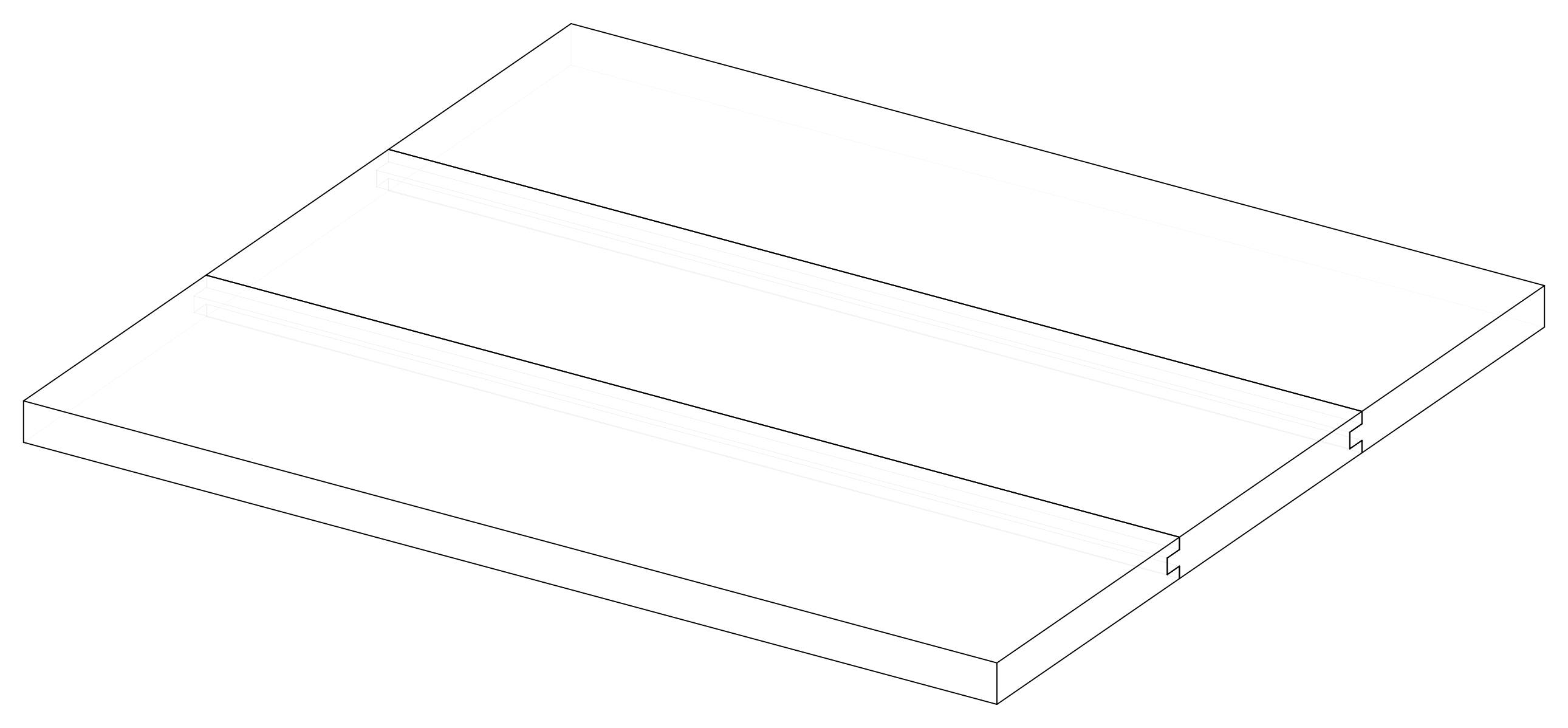
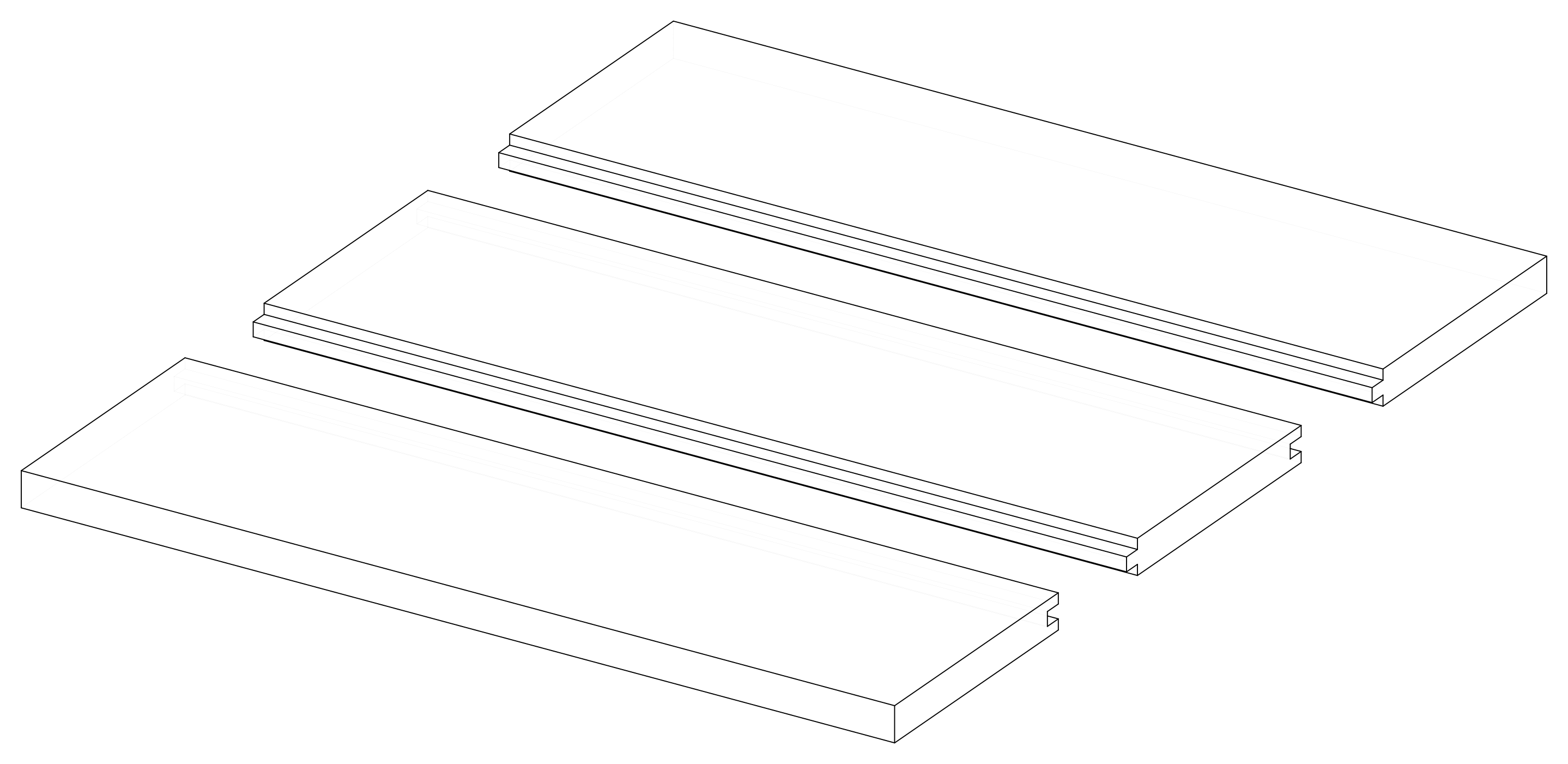
Parameters
| Parameter | Default |
|---|---|
length |
500 |
width |
150 |
count |
3 |
stock |
20 mm board, oak |
Change them in a design file (see Change an example):
Drawings
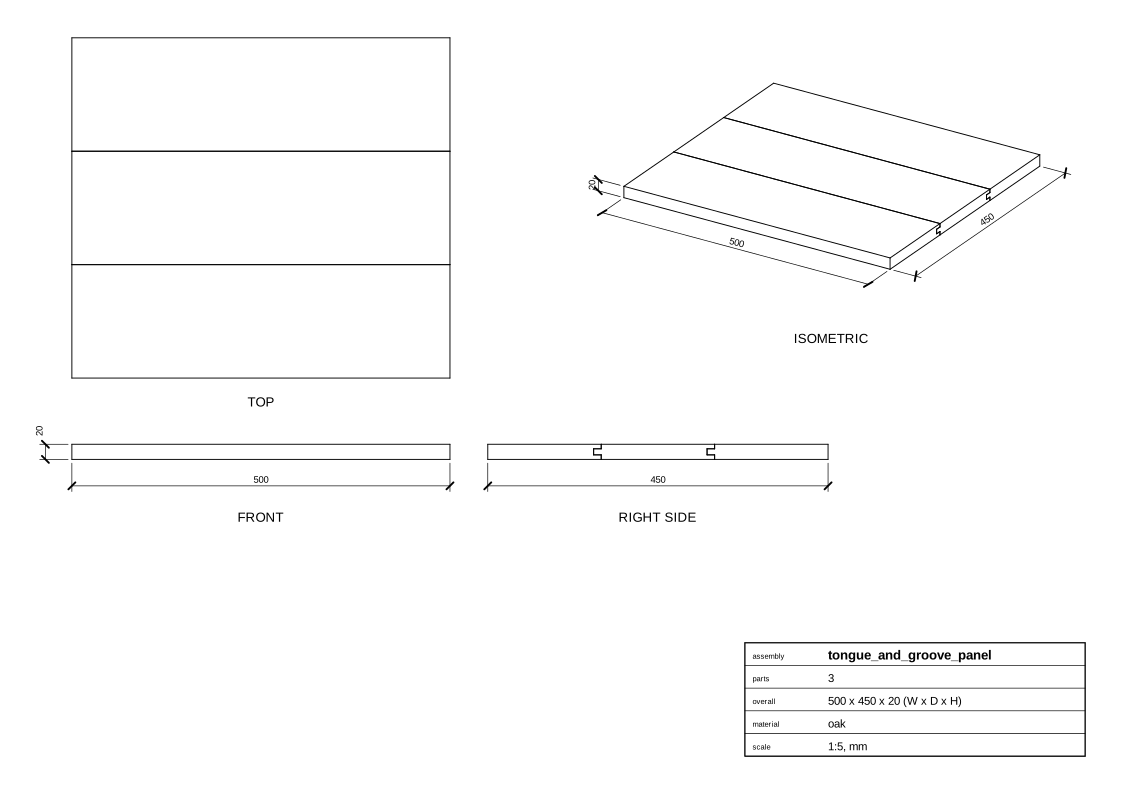
The plans in one PDF: plans.pdf.
Assembly
Parts
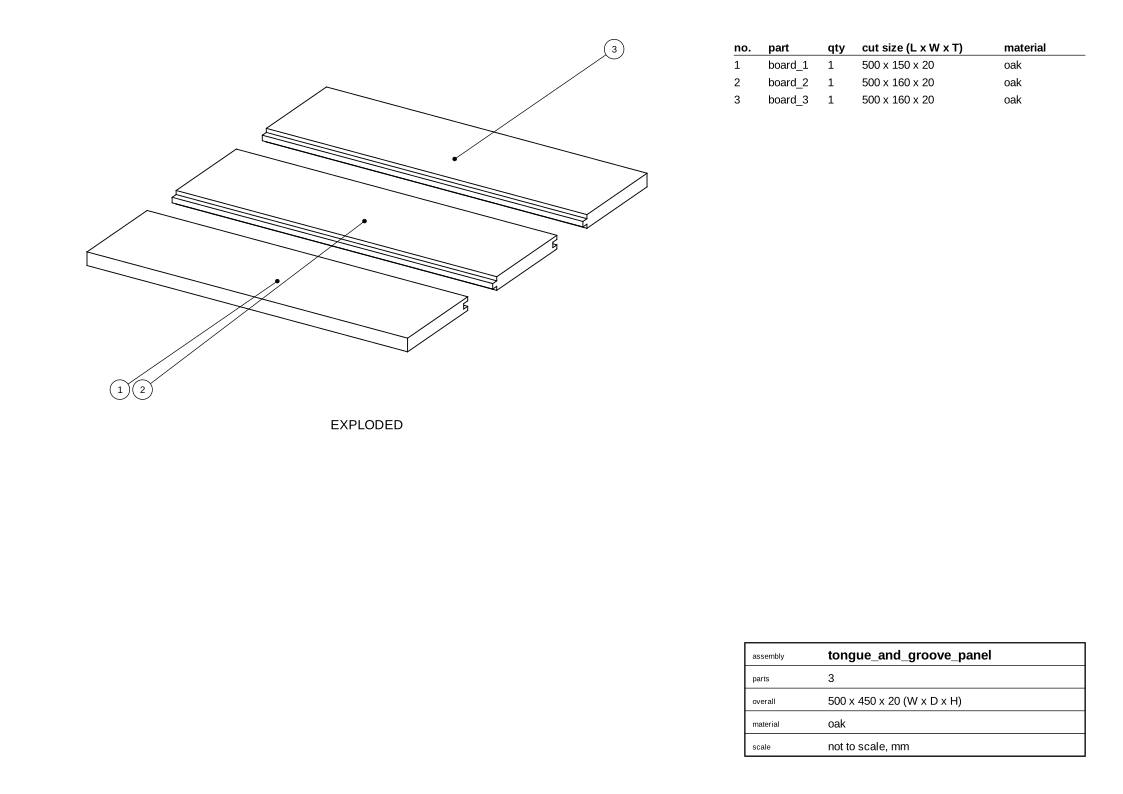
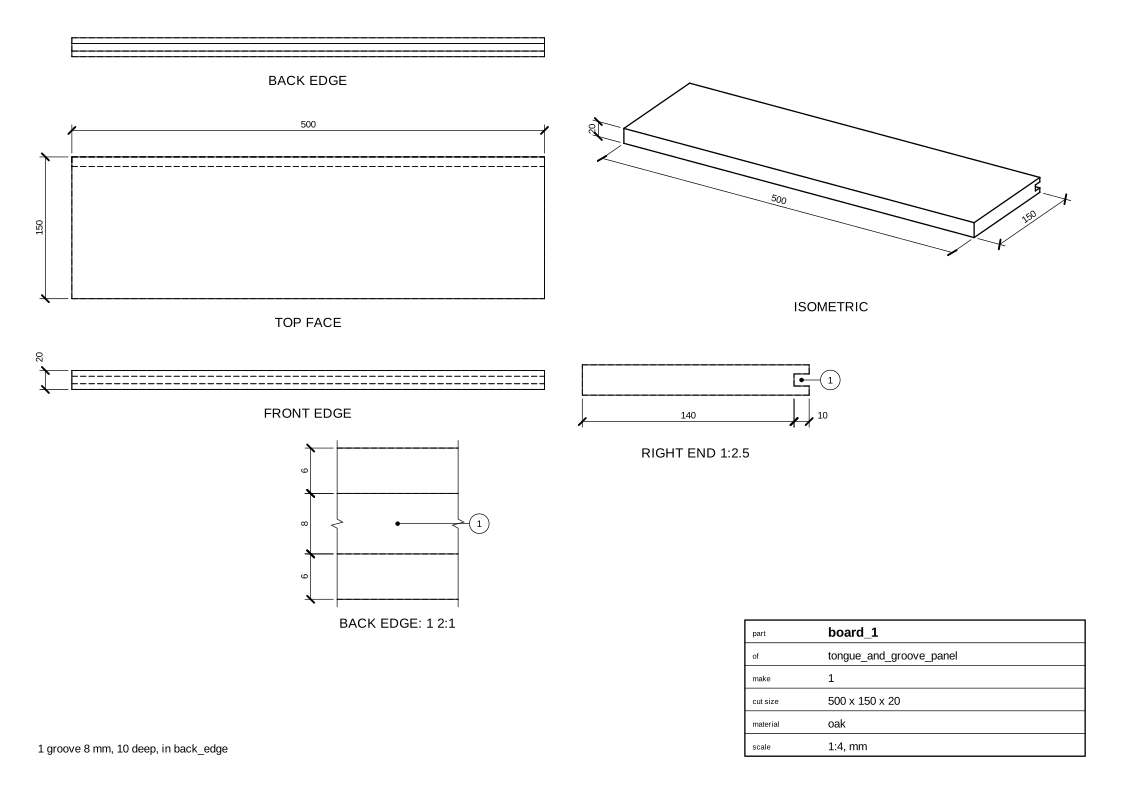
Board 1
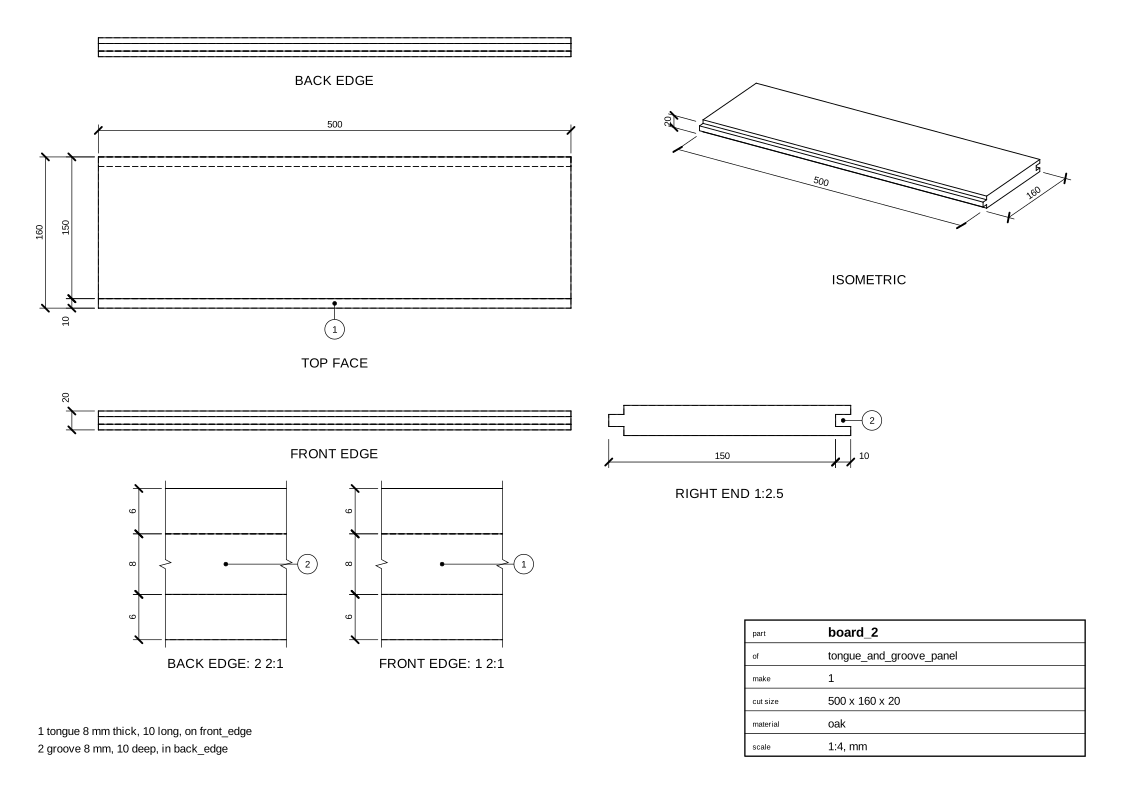
Board 2
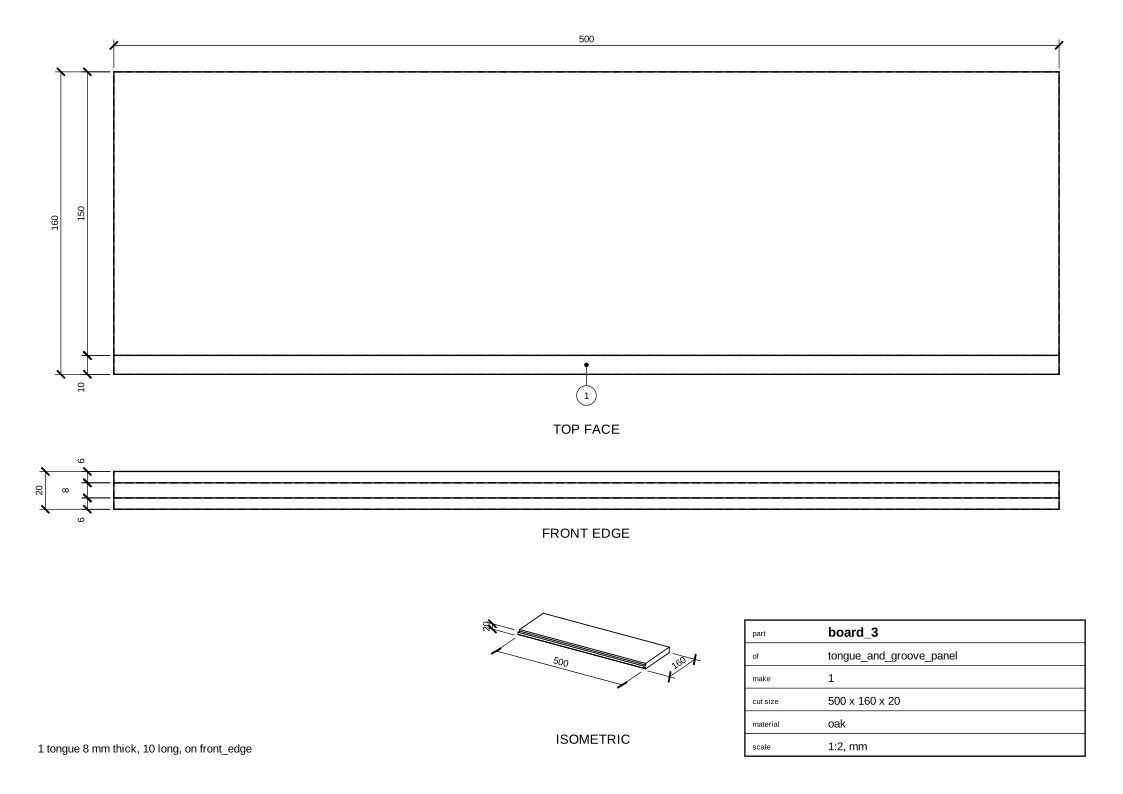
Board 3
Cut list
board_1  500 x 150 x 20 mm  oak
         - groove 8 mm, 10 deep, in back_edge
board_2  500 x 160 x 20 mm  oak
         - tongue 8 mm thick, 10 long, on front_edge
         - groove 8 mm, 10 deep, in back_edge
board_3  500 x 160 x 20 mm  oak
         - tongue 8 mm thick, 10 long, on front_edge
Code
From woodwright/examples/joints.py, which imports the names it uses (see From an example to your own design):
def tongue_and_groove_panel(
    length: float = 500, width: float = 150, count: int = 3, stock: Stock = OAK
) -> Assembly:
    """Boards edge to edge, a tongue along each in a groove along the next one."""
    asm = Assembly("tongue_and_groove_panel")
    boards = [
        asm.add(Board(f"board_{i + 1}", stock, length=length, width=width)) for i in range(count)
    ]
    for a, b in itertools.pairwise(boards):
        asm.join(TongueAndGroove(tongue=b.front_edge, groove=a.back_edge))
    return asm
Exported with woodwright 0.9.0 on 2026-10-25.